Start here
Projects
Tune your topic and keywords, or manage an existing project.
Read your papers
Browse and search your feed, rate papers, and read summaries.
Get updates
Set up email digests or follow your project in an RSS/Atom reader.
Sharing and public projects
CLI
Install
pz and use Paperzilla from the terminal.MCP
Connect an AI client and manage its access to Paperzilla.
Help
Fix common issues with projects, feeds, email delivery, and sharing.
Questions and answers
Find a quick answer to a specific question.
Core terms
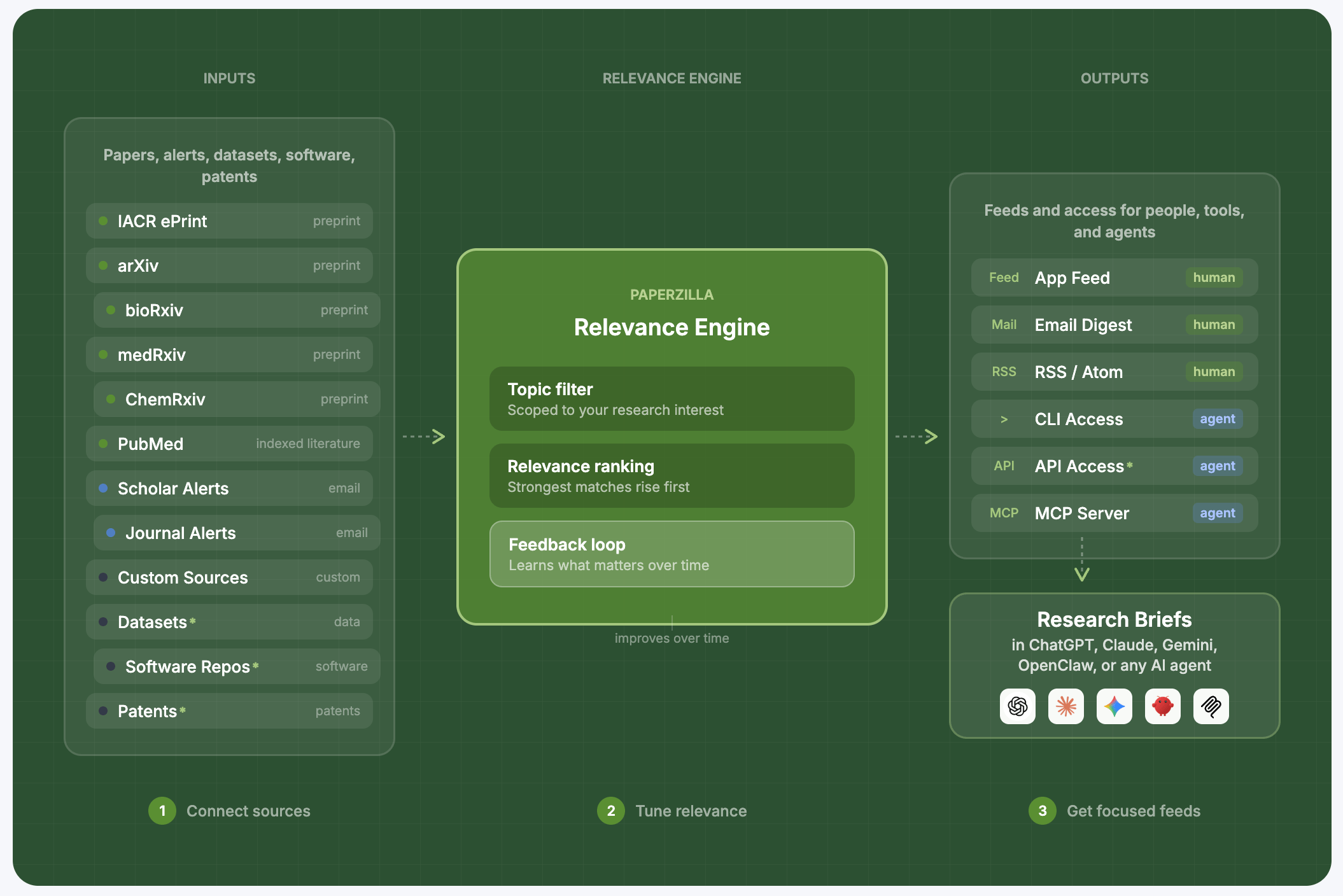
- Project: your standing research intent (topic + interests + keywords + settings)
- Feed: continuously updated list of matched papers for a project
- Email digest: a scheduled email selection from your project
- Research brief — a selection of new papers from your project feed, with notes from your AI agent on why each is worth reading
Next steps
- Follow the quickstart.
- Configure your project in projects.
- Choose your preferred reading surface: in-app feed, RSS/Atom, CLI, or MCP.
- If you run agent workflows, start with Agent workflows.